
 Español
  Português PT
How Many Watts Does My PC Need? Interactive PSU Calculator 2026 + Complete Guide by GPU and CPU
- 23 Sep, 2026
- Home
- 0 Comments
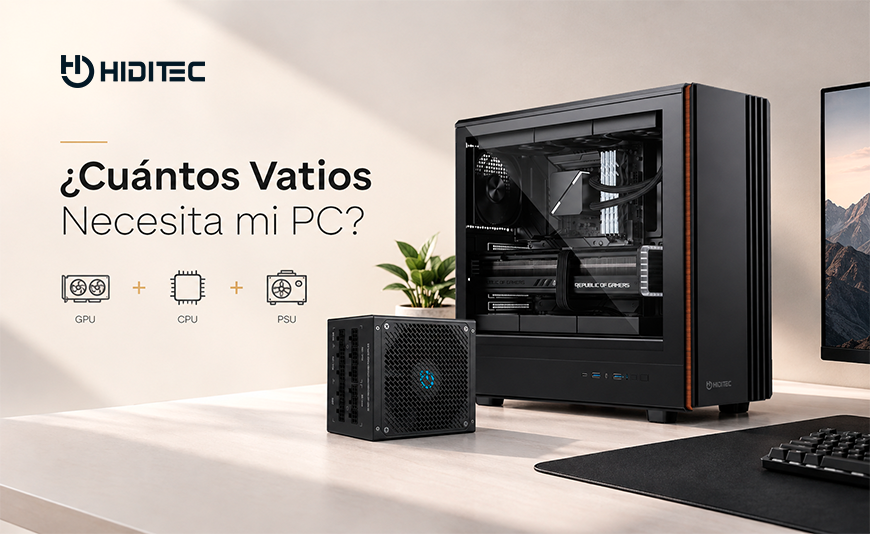
How many watts does my PC need?
2026 PSU calculator + complete guide by GPU, CPU and build type
Use our calculator to find out exactly how many watts your PC needs based on your components. Then, the complete guide explains why wattage isn't the only thing that matters, with real recommendations for every build type in 2026 and measured real-world power consumption for the most popular GPUs and CPUs on the market.
Power Supply Calculator
Select your components and get the exact recommendation instantly
Estimated system power draw
363 W
during gaming · 30% safety margin included
Recommended PSU
Hiditec BZ PRO 750W
80 PLUS Bronze · Nichicon + Rubycon 105°C capacitors · 7-year warranty
System running at 48% of rated capacity · peak efficiency zone
1. Why wattage isn't the only thing that matters in a PSU
A low-quality 750W PSU can be worse for your components than a well-built 650W unit. Watts tell you how much power the PSU can deliver in total, but say nothing about how it delivers that power: whether voltage is stable or noisy, whether the protections are genuinely active, whether its capacitors will last 3 years or 10, or whether it can absorb the power spikes of modern GPUs without shutting down.
The three factors that determine whether a PSU is truly good are: (1) internal capacitor quality, which determines lifespan and current cleanliness; (2) active protections (OVP, OCP, OPP, SCP, UVP, OTP), which prevent a failure from destroying your components; and (3) transient power handling, which is what the ATX 3.1 standard formally guarantees for next-gen GPUs.
| Model | Watts | Certification | Modular | Capacitors | ATX 3.1 | Warranty | Price | Ideal GPU |
|---|---|---|---|---|---|---|---|---|
| BZ PRO 650W | 650W | Bronze | No | Nichicon + Rubycon | Yes | 7 years | ~€58.95 | RX 9060 XT · RTX 5060 Ti |
| BZ PRO 750W ★ | 750W | Bronze | No | Nichicon + Rubycon | Yes | 7 years | ~€65.95 | RX 9070 · RTX 5070 Ti · RX 7900 XTX |
| BZ PRO 850W | 850W | Bronze | No | Nichicon + Rubycon | Yes | 7 years | ~€73.95 | RTX 5080 · RX 7900 XTX + top CPU |
| GDX V3 750W Gold | 750W | Gold | Full modular | Japanese 105°C | Yes | 5 years | ~€107.90 | RX 9070 · RTX 5070 Ti — with modular |
| GDX V3 850W Gold | 850W | Gold | Full modular | Japanese 105°C | Yes | 5 years | ~€116.90 | RTX 5080 · RX 7900 XTX + powerful CPU |
| GDX V3 1050W Gold | 1050W | Gold | Full modular | Japanese 105°C | Yes | 5 years | ~€129.90 | RTX 5090 + high-end CPU |
| GDX V3 1200W Gold | 1200W | Gold | Full modular | Japanese 105°C | Yes | 5 years | ~€139.90 | RTX 5090 + i9/Ryzen 9 + workstation |
2. Real power draw for the most popular GPUs in 2026 and recommended minimum PSU
The figures below are official TDP ratings, with the minimum PSU calculated for a complete gaming system (CPU + motherboard + RAM + 2 SSDs + fans) with the 30% safety margin included.
| GPU | TDP | Estimated full system draw | Minimum PSU | Recommended Hiditec PSU |
|---|---|---|---|---|
| RTX 5090 | 575W | ~750–800W | 1000W | GDX V3 1050W / 1200W |
| RTX 5080 | 360W | ~500–560W | 750W | BZ PRO 850W / GDX V3 850W |
| RTX 5070 Ti | 300W | ~430–490W | 650W | BZ PRO 750W |
| RTX 5070 | 250W | ~375–430W | 600W | BZ PRO 750W |
| RTX 5060 Ti | 185W | ~300–360W | 550W | BZ PRO 650W |
| RX 9070 XT | 304W | ~440–500W | 650W | BZ PRO 750W |
| RX 9070 | 220W | ~350–420W | 600W | BZ PRO 750W |
| RX 9060 XT | 160W | ~280–340W | 500W | BZ PRO 650W |
| RX 7900 XTX | 355W | ~490–560W | 750W | BZ PRO 850W |
| RTX 4090 | 450W | ~600–680W | 850W | GDX V3 850W / 1050W |
3. BZ PRO or GDX V3? When to choose each range
The BZ PRO and GDX V3 ranges share the same quality principles — Japanese 105°C capacitors, full protection suites, 7 and 5-year warranties respectively — but they are designed for different user profiles. Here is the simplified decision:
Choose BZ PRO if...
- Your build uses RTX 5070 Ti or lower / RX 9070 XT or lower
- You prioritise internal quality over modularity
- You want the most premium capacitors (Nichicon + Rubycon) at the best price
- Your budget is tight (from €58.95)
- You don't need modular cabling for cable management
- You want the longest warranty: 7 years
Choose GDX V3 Gold if...
- Your build uses RTX 5080, RTX 5090 or RX 7900 XTX with a high-end CPU
- You need full modular cabling for your chassis
- You want the Gold certification (~4–5% more efficiency = ~€10/year)
- Your GPU has a 12V-2x6 connector and you want a native cable
- Your build exceeds 600W of real power draw
- You are building a high-end workstation or streaming setup
Frequently asked questions about watts and power supplies
Everything you need to know before choosing a PSU for your PC
How many watts does a gaming PC need in 2026?
It depends on the GPU. A gaming build with an RX 9060 XT and Ryzen 5 draws around 280–330W. With an RTX 5070 Ti and Ryzen 7 9800X3D, around 430–490W. With an RTX 5080, around 500–560W. Add 30% headroom to get your minimum PSU size. The calculator above does this automatically.
Is a Gold PSU better than Bronze?
Not necessarily. Gold measures energy efficiency (~5% better than Bronze), which translates to roughly €8–10 less per year in electricity. If a Bronze unit has better internal capacitors than a Gold at the same price, the Bronze is the better buy. The BZ PRO 750W with Nichicon and Rubycon capacitors is a prime example of a Bronze that outperforms many Gold units on internal quality.
What PSU do I need for an RTX 5090?
The RTX 5090 has a 575W TDP. With a high-end CPU, the system can exceed 750W under real load. You need at least 1000W, ideally 1050W or 1200W. The GDX V3 1050W Gold (€129.90) or the GDX V3 1200W Gold (€139.90) are the right options with a native 12V-2x6 cable.
Does a higher-wattage PSU consume more electricity?
No. The PSU only delivers what the system demands. An 850W PSU powering a system that draws 350W will deliver 350W, not 850W. There can be a slight efficiency loss if the PSU operates well below 20% of its capacity, which is why oversizing too much is not recommended.
What happens if I use a PSU with fewer watts than needed?
Best case, the system reboots or shuts down during power spikes. Worst case, the PSU runs continuously at 90–100% of its capacity, degrades quickly, delivers unstable voltage that damages the GPU and CPU, and can cause cascading component failures.
What are Japanese capacitors and why do they matter?
They are the components that most determine PSU lifespan and current quality. Manufacturers like Nichicon and Rubycon (used in the BZ PRO range) have a rated lifespan of 5,000–10,000 hours at 105°C, versus 1,000–2,000 hours for generic capacitors. The direct difference: years of extra life and cleaner current for your GPU and CPU.
Do I need an ATX 3.1 PSU for an RTX 5080 or RTX 5090?
Highly recommended. The ATX 3.1 standard requires PSUs to handle spikes of up to 200% of their rated capacity for 100 microseconds. Without that support, the power spikes from RTX 50-series cards can cause system reboots even when the PSU has enough rated wattage. The entire BZ PRO and GDX V3 ranges from Hiditec comply with ATX 3.1.
How often should I replace my power supply?
A quality PSU with Japanese 105°C capacitors lasts 8–10 years. PSUs with generic 85°C capacitors start degrading in 3–5 years. Signs of aging include micro-stutters in games, spontaneous reboots and increased fan noise. If your PSU is more than 5 years old and you are upgrading your GPU or CPU, replace it first.
Data sources:
- Hiditec.com: Official BZ PRO and GDX V3 catalogue — prices and specifications
- TechPowerUp GPU Database: TDP and measured real-world power draw for GPUs 2024–2026
- Tom's Hardware: Methodology for calculating minimum PSU by system
- Intel: Official ATX 3.1 standard specification — 200% transient tolerance
- 80 PLUS: Official efficiency certification database by PSU
The full Hiditec range for every build
From €58.95 (BZ PRO 650W) to €139.90 (GDX V3 1200W Gold) · Japanese 105°C capacitors · Full protection suite · ATX 3.1




Leave a Reply Cancel Reply