
 Español
  Português PT
CPU Overclocking in 2026: What Intel and AMD Don’t Tell You About the Real Risks to Your Processor | Hiditec Global
- 14 May, 2026
- Home , News
- 0 Comments
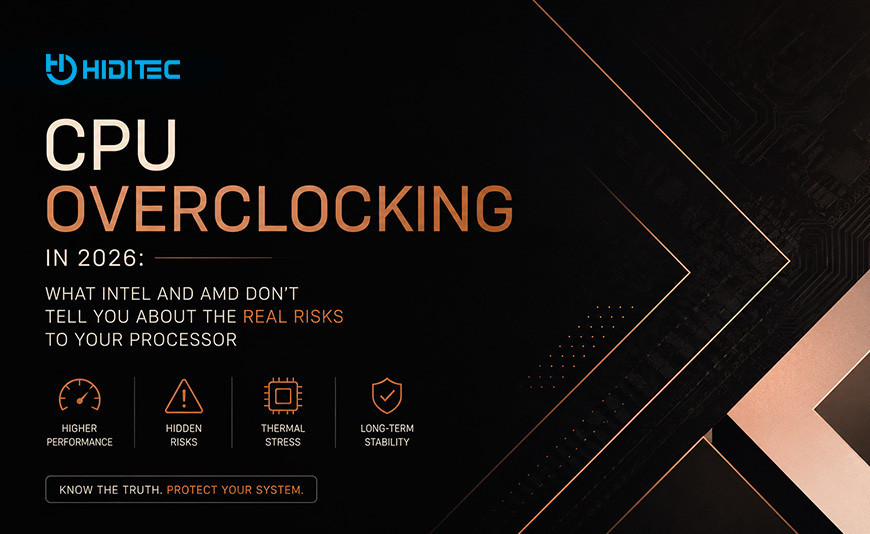
CPU Overclocking in 2026:
What Intel and AMD Don't Tell You About the Real Risk to Your Processor
The manufacturers allow it, the tutorials encourage it and the benchmarks look promising. But there is something nobody explains before you do it: overclocking has real consequences for the lifespan of your processor, your warranty and the stability of your entire system. This guide tells you everything without filters.
The essentials before touching anything in the BIOS
Overclocking voids your warranty. Both Intel and AMD expressly exclude damages caused by overclocking from their official warranties. If your processor fails after being overclocked, the RMA outcome is left to the manufacturer's discretion.
Voltage is the enemy, not frequency. Raising MHz without raising voltage is relatively safe. Aggressively raising voltage physically degrades the processor's transistors in an irreversible way. There is no going back.
Cooling is not optional, it is the actual limit. Without adequate cooling, overclocking simply does not work: the processor activates thermal throttling and performs the same or worse than at stock speeds. Maximum temperature is the real ceiling of any OC.
Intel and AMD are not the same when it comes to OC. AMD with PBO is more conservative and automatic. Intel with K-series processors requires more manual knowledge and offers more headroom, but also carries more risk if voltage is not properly controlled.
Overclocking has been part of PC culture for decades. The promise is always the same: more performance for free, without paying for a more expensive processor. And technically that is true. But what YouTube tutorials do not tell you is that this extra performance has a cost that is not measured in money, but in processor lifespan, system stability and, in the worst case, burnt hardware with no warranty coverage.
In 2026, the context has also changed. The degradation scandal affecting Intel 13th and 14th generation processors, caused precisely by elevated voltages, has put something on the table that many overclockers preferred not to hear: excessive voltage destroys transistors in a permanent and irreversible way. And that happens whether it is caused by Intel through a microcode error or by you manually through the BIOS.
1. What overclocking is and how it actually works
A processor from the factory comes with a base frequency and a turbo frequency established by the manufacturer after thousands of hours of testing. Those frequencies are what the chip can reach in a stable, safe way and within the temperature and voltage limits designed to keep it running for years. Overclocking means forcing frequencies above those limits.
Simple explanation: Imagine your processor is a marathon runner trained to run at 7.5 mph for four hours without problems. Overclocking would be forcing them to run at 9 mph. They can do it, but they tire faster, need more water (more cooling) and if you push them too long they can sustain permanent injury.
| Term | What it means | Associated risk |
|---|---|---|
| Frequency (MHz / GHz) | Speed of the processor's clock cycles | Low if voltage is not raised |
| Voltage (Vcore) | Electrical voltage feeding the processor | High: degrades transistors irreversibly |
| TDP (Thermal Design Power) | Maximum heat the cooler must dissipate | If cooling cannot handle it, thermal throttling occurs |
| Thermal throttling | Automatic frequency reduction due to temperature | Cancels the OC benefit if cooling is insufficient |
| Unlocked multiplier (K / X) | The CPU allows raising the multiplier from the BIOS | Required for classic OC on Intel |
2. The Intel case: when high voltage destroys the processor (and you are not the one to blame)
In 2024, one of the biggest hardware scandals in recent years was confirmed. Intel Core processors from the 13th and 14th generation (i9-13900K, i9-14900K and related models) were experiencing crashes, instability and permanent performance loss. The cause, confirmed by Intel itself in August 2024: a faulty microcode algorithm that caused processors to request higher voltages than necessary, continuously pushing them beyond their safe operating limits.
What Intel officially confirmed about 13th and 14th gen degradation
The damage was irreversible
Tom's Hardware and The Verge confirmed that the degradation caused by elevated voltages had no possible repair. The microcode patch (0x12B) prevented future damage, but chips that were already degraded did not recover their original performance.
Intel extended the warranty
In response to the issue, Intel extended the warranty on affected models to cover damages resulting from this specific bug. But outside this one-off case, manual overclocking remains the exclusive responsibility of the user.
The lesson for overclockers
If an elevated voltage caused involuntarily by a factory bug was capable of destroying 13th gen i9s, imagine the effect of manually raising the Vcore aggressively over months. The damage mechanism is exactly the same.
Sources: Intel Community (August 2024) · Tom's Hardware · Tom's Guide
For overclocking current Intel processors (Arrow Lake, Core Ultra 200K with LGA 1851 socket), Intel recommends using Intel Default Settings as the starting point and only modifying from there using tools like Intel Extreme Tuning Utility (XTU) or directly from the BIOS with the necessary knowledge. Intel's official warning is clear: overclocking can void the warranty and affect the lifespan of the system.
3. Intel and AMD warranty with overclocking: what the fine print actually says
This is the point that overclocking tutorials tend to omit or downplay. The official position of both brands is clear, though with important nuances worth knowing.
Intel: official position on OC and warranty
Intel states that using its processors outside official specifications, including overclocking, may void the warranty or affect system health. The company offers the Intel Performance Tuning Protection Plan, a paid insurance specifically for overclockers that covers a processor replacement if it fails as a result of OC.
K-suffix processors (unlocked) are designed to be overclocked, but that does not mean OC is covered under the standard warranty if the chip is damaged in the process.
AMD: official position on OC and warranty
AMD's official three-year warranty for boxed processors (PIB) expressly excludes damages caused by overclocking, even when the OC is performed using tools from the manufacturer itself such as AMD Overdrive. The warranty only covers manufacturing defects under normal usage conditions.
AMD introduced in some Threadripper 7000 processors a fuse mechanism that permanently records whether the chip has been overclocked, though it clarified that this alone does not automatically void the warranty: only damages resulting from OC are excluded.
| Brand | Does OC fall under standard warranty? | Coverage option with OC | Can they detect OC? |
|---|---|---|---|
| Intel (K CPUs) | No, OC damage is excluded | Performance Tuning Protection Plan (paid) | Only if there is visible physical damage |
| AMD (Ryzen series) | No, OC damages expressly excluded | No specific OC coverage plan available | Threadripper 7000 has a permanent fuse |
4. Why overclocking simply does not exist without adequate cooling
This is the point where most novice overclockers fail. They raise the frequency in the BIOS, run a benchmark, see the numbers improve and close the session satisfied. What they do not know is that if the processor was reaching temperatures above its safety limit, the system was automatically activating thermal throttling to protect itself, reducing the actual frequency below the nominal value. The result: the OC not only does nothing useful, but the chip was running hotter and more stressed than normal with zero gain.
Simple explanation: Trying to overclock without adequate cooling is like trying to drive faster with the handbrake on. The engine works harder, burns more fuel and gets hotter, but the actual speed does not increase because the safety system prevents it.
| Cooling type | Real maximum TDP | Suitable for OC? | Typical use case |
|---|---|---|---|
| Stock cooler (included with CPU) | 65 W | No, not at all | Stock operation only, no turbo boost |
| Mid-range air cooler | 130 to 150 W | Conservative OC possible | Ryzen 5 / Core i5 with light OC |
| Hiditec C40 PRO dual tower air cooler | 290 W | Yes, moderate to high OC | Ryzen 9 9950X / Core Ultra 9 285K with OC |
| 240 mm AIO | 200 to 250 W | Yes, moderate OC | Gaming with sustained daily OC |
| Hiditec LQ360 360 mm AIO | 340 W | Yes, high OC with headroom | Aggressive overclocking on high TDP CPUs |
Maximum safe temperatures for OC: do not go beyond these
| Processor | Max specified temp. (Tjmax) | Recommended temp. under OC | Danger zone |
|---|---|---|---|
| Ryzen 9 9950X (AM5) | 95 °C | Max 85 °C under load | Above 90 °C |
| Ryzen 7 9800X3D (AM5) | 89 °C | Max 80 °C under load | Above 85 °C |
| Core Ultra 9 285K (LGA 1851) | 100 °C | Max 85 °C under load | Above 90 °C |
| Core i9-14900K (LGA 1700) | 100 °C | Max 80 °C under load | Above 85 °C (degradation risk) |
5. Intel vs AMD on overclocking: key differences in 2026
Each brand's approach to overclocking is different, and that determines the risk level and ease of the process:
Intel: more power, more responsibility
Intel processors with a K suffix (Core Ultra 9 285K, i9-14900K) have an unlocked multiplier, allowing the user to manually raise the frequency of all cores from the BIOS. The result can be very significant: up to 400 to 600 MHz additional in a stable way with good cooling and controlled voltage.
The problem is that Intel requires the user to manually manage voltage (Vcore), and a sustained excess over time degrades transistors. High-end motherboards usually include automatic OC profiles that simplify the process, but they do not eliminate the risk.
Maximum recommended voltage on Intel: 1.30 to 1.35 V for daily use. Above 1.40 V the risk of long-term degradation increases significantly.
AMD: smarter, more conservative
AMD offers Precision Boost Overdrive (PBO), an automatic overclocking system that intelligently raises frequencies within the system's thermal limits. It requires no advanced knowledge and is the recommended starting point for anyone who wants to push a Ryzen without taking unnecessary risks.
Classic manual OC on AMD (raising the multiplier for all cores to a fixed frequency) is less common because in practice PBO tends to outperform manual OC: the automatic boost raises individual cores much higher than a manual all-core OC can maintain stably.
Maximum recommended voltage on AMD: 1.25 V on Ryzen 9000. Above 1.30 V AMD does not guarantee the long-term integrity of the processor.
6. The power supply: the component nobody mentions in overclocking guides
When you overclock, the processor consumes more energy. A Ryzen 9 9950X at stock uses approximately 170 W under load. With aggressive PBO it can reach 230 to 250 W. A Core Ultra 9 285K at stock sits at 253 W PBP (Primary Base Power), and with OC can easily scale above 300 W. That energy has to come from somewhere, and that somewhere is the power supply.
A power supply of insufficient quality under these conditions can cause system instability, crashes, random restarts and even hardware damage from current spikes. We already explained in detail the real impact of electrical protections in our article Why your PC's life insurance is not watts but the letters OVP/UVP, and also the coil whine problem under high loads in The truth about Coil Whine and how to eliminate it.
7. Is overclocking worth it in 2026? The honest answer
It depends on what you do and how much you are willing to invest to do it properly. Here is the assessment by user profile:
| Profile | Is OC worth it? | Reason | Smarter alternative |
|---|---|---|---|
| Gamer playing at 1080p and 1440p | Rarely | In gaming, the bottleneck is the GPU, not the CPU | Invest in a better GPU |
| Competitive gamer (CS2, Valorant) | Yes, with PBO on AMD | These games are more sensitive to CPU frequency | PBO on AMD or Intel automatic profiles |
| Video editor / content creator | Yes, if done properly | Rendering scales well with CPU frequency | Conservative OC with adequate cooling |
| Developer / workstation user | Yes, with PBO | Compilation and VMs scale well with frequency | PBO plus good cooling |
| Office / productivity user | No | No perceptible gain in everyday use | Add more RAM or upgrade to NVMe SSD |
Frequently Asked Questions about CPU Overclocking
Everything you need to know before touching your processor's BIOS in 2026
Does overclocking automatically void the CPU warranty?
Not automatically, but conditionally. Both Intel and AMD exclude from their warranties the damages caused by overclocking. In practice, if the processor fails and shows physical damage consistent with out-of-spec use, the RMA can be rejected. If the failure appears to be a manufacturing defect unrelated to OC, it is generally covered. AMD has an official three-year warranty for boxed processors (PIB), and Intel additionally offers the Performance Tuning Protection Plan for overclockers who want explicit coverage. The 13th and 14th gen i9 case was an exception: Intel extended the warranty because the failure was caused by their own error, not the user.
What is PBO and is it safe to enable on a Ryzen?
Precision Boost Overdrive (PBO) is AMD's automatic overclocking system. When you enable it, the processor intelligently raises its frequencies based on available thermal headroom and motherboard limits, without any manual configuration from the user. It is significantly safer than manual OC because the system itself manages the limits. AMD offers it as an official feature across its X and non-X processor lineup. The risk with PBO appears when combined with advanced techniques like Curve Optimizer (voltage-frequency curve adjustment) or when power limits (PPT, TDC, EDC) are raised beyond recommended values. For most users, PBO with default values or a conservative Curve Optimizer adjustment is the smartest option with the best performance-to-risk ratio in 2026.
How much more performance does a CPU deliver with overclocking in gaming?
In the vast majority of modern games in 2026, very little. Open-world games, third-person shooters and RPGs are GPU-limited at 1440p and 4K resolutions. In those cases, a 10 to 15% CPU OC translates into an FPS improvement of between 1 and 4%. Where a noticeable improvement does exist is in competitive games with CPU-heavy engines such as CS2, Valorant or League of Legends, where the difference can reach 8 to 12% additional FPS. In rendering, compilation and productivity applications the gain is more consistent and can reach between 10 and 20% on intensive tasks.
Can I overclock if my processor does not have an unlocked multiplier?
On Intel, processors without a K suffix (i5-14600, Core Ultra 5 245, etc.) have a locked multiplier and cannot be overclocked that way. BCLK overclocking (modifying the base clock frequency) exists, but Intel has progressively restricted this option across successive generations through microcode updates. On AMD, all Ryzen processors allow PBO to be enabled regardless of the model, though manual multiplier OC is only available on high-end X and X3D models. If your processor does not support classic OC, PBO on AMD or the automatic performance profiles available on your Intel motherboard are the only available and safe options.
What software should I use to overclock and monitor temperatures?
For OC on Intel, Intel Extreme Tuning Utility (XTU) is the most accessible official tool. For AMD, Ryzen Master is the direct equivalent. Both allow adjusting frequencies, voltages and performance profiles without entering the BIOS, though the most stable changes are always made directly in the BIOS. For temperature monitoring, HWiNFO64 is the industry reference: it shows in real time the temperature of each core, the actual processor voltage, boost frequency and power consumption. For stability testing, Cinebench R23 or R24 (all-core load for ten minutes) and Prime95 (maximum sustained stress) are the most widely used. If the system passes the tests without throttling and without exceeding the recommended maximum temperatures, the OC is stable.
Does overclocking consume significantly more electricity?
Yes, and more than most people expect. A processor's energy consumption scales in a non-linear way with frequency and voltage: doubling the voltage quadruples consumption. A Ryzen 9 9950X at stock uses around 170 W under load. With aggressive PBO it can reach 230 to 250 W, between 35 and 47% more. An overclocked Core Ultra 9 285K can easily exceed 300 W. That additional consumption has three direct consequences: higher monthly electricity costs, more heat generated that cooling must dissipate and greater demand on the power supply. If your PSU does not have enough headroom to absorb OC consumption spikes, the system can become unstable or shut down under peak load. You can read more about how to choose the right power supply in our best power supplies 2026 guide.
Information sourced from:
- Intel Community: July 2024 Update on Instability Reports on Intel Core 13th and 14th Gen Desktop Processors
- Tom's Hardware: Intel finally announces a solution for CPU crashing and instability problems
- Tom's Guide: 13th and 14th-gen Intel CPU damage could be permanent despite incoming fix
- TechPowerUp: Intel Confirms 13th Gen and 14th Gen Core Voltage Issues Fixed with 0x12B Microcode
- AMD: Processor in a Box (PIB) 3 Year Limited Warranty (official policy)
- Tom's Hardware: AMD says overclocking blows hidden fuses on Ryzen Threadripper 7000
- Intel Community: June 2024 Guidance regarding Intel Core 13th and 14th Gen K/KF/KS instability reports
- Hiditec Blog: How to install 360 mm liquid cooling in the SKY chassis
- Hiditec Blog: Why your PC's life insurance is not watts but the letters OVP/UVP
- Hiditec Blog: Best power supplies 2026 guide
- Hiditec Blog: How much RAM do you really need in 2026
- Hiditec: LQ360 360 mm liquid cooling (technical specifications)
- Hiditec: C40 PRO dual tower air cooler (technical specifications)
- Hiditec: SKY chassis (technical specifications)




Leave a Reply Cancel Reply