
 Español
  Português PT
How Much RAM Do You Need in 2026? The Ultimate Guide: 8GB, 16GB, or 32GB | Hiditec Global
- 11 May, 2026
- Home , News
- 0 Comments
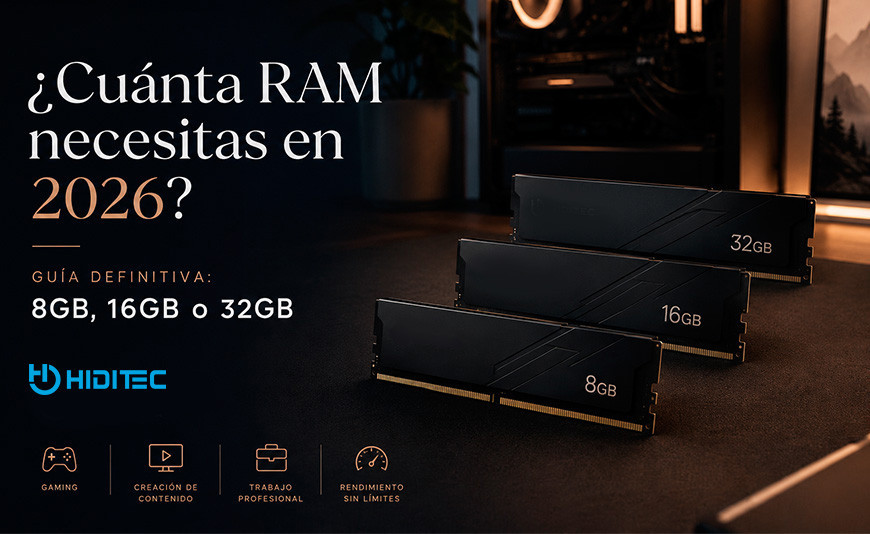
How much RAM do you actually need in 2026?
The definitive guide that shatters the 32GB myth
Everyone has an opinion on RAM: some say 8GB is plenty, others claim anything less than 32GB is a waste, and some think DDR5 is a ripoff... The truth is, it depends entirely on what you do with your PC. This guide tells you exactly how much RAM you need based on real-world usage, without the hype and backed by data.
Quick Answer: How much RAM you need by profile
8GB DDR4/DDR5 — Basic productivity, light web browsing, video streaming. Only sufficient if you don't open more than 10-15 tabs at once.
16GB DDR4/DDR5 — 1080p/1440p Gaming in 2026, multitasking, basic streaming with OBS. The sweet spot for most users.
32GB DDR5 — Gaming with simultaneous streaming, light 1080p/4K video editing, software development, simple virtual machines.
64GB DDR5 — Professional 4K video editing, 3D rendering, workstations with multiple VMs, local AI with medium models (7B-13B).
128GB+ — Servers, scientific workstations, local AI with large models (70B+), music production with massive sample libraries.
DDR4 vs DDR5: If your board is AM5 or LGA 1851, DDR5 only. If it's AM4 or older LGA 1700, DDR4. They are not physically interchangeable.
The 32GB myth was born when games and apps were much less demanding than they are today. In 2026, Chrome alone can consume over 2GB with 20 tabs open. A game like Hogwarts Legacy recommends 16GB. If you also have Discord, OBS, Spotify, and an antivirus in the background... 8GB runs out of headroom in minutes.
But don't go to the other extreme: paying for 64GB when you only use your PC for gaming and office work is throwing money away. In this guide, we analyze every user profile, explain what each technical spec means in practical terms, and tell you exactly how much RAM to buy and why.
1. What is RAM and why is it different from storage?
RAM (Random Access Memory) is your PC's working memory. It’s where your operating system, apps, and games load the data they need right now. When it gets full, the OS starts using part of your hard drive or SSD as emergency memory — called virtual memory or swap — and that’s when everything slows down.
Explained for beginners: Imagine your physical desk. Storage (SSD or HDD) is like the filing cabinet where you store all your documents. RAM is the surface of the desk where you have what you’re currently working on open. If the desk is small, you have to constantly go back to the cabinet to swap papers, slowing you down. If the desk is large, everything you need is within reach, and you work faster.
| Feature | RAM | SSD / HDD |
|---|---|---|
| Function | Active working memory | Permanent storage |
| Speed | 50,000 – 100,000 MB/s (DDR5) | 500 – 7,000 MB/s (NVMe SSD) |
| Typical Capacity | 8GB – 128GB | 256GB – 8TB |
| Clears when off? | Yes, it's volatile | No, it's permanent |
| Easy to upgrade? | Yes, by adding modules | Yes, by adding drives |
2. DDR4 vs DDR5 in 2026: Which do I need and which is better?
DDR4 and DDR5 are the two generations of RAM coexisting in the 2026 market. They are not interchangeable: they have different pin counts, different notch positions, and run on different voltages. Your motherboard only accepts one type — never both.
[Image comparing DDR4 and DDR5 RAM sticks highlighting the different notch positions]
Explained for beginners: It’s like phone chargers before USB-C. A micro-USB cable won’t fit into a USB-C port even if they serve the same purpose. DDR4 and DDR5 do the same thing but are physically incompatible.
| Feature | DDR4 | DDR5 |
|---|---|---|
| Base Speed | 2133 – 3600 MHz typical | 4800 – 8400 MHz typical |
| Voltage | 1.2V (1.35V XMP) | 1.1V (1.25-1.4V XMP/EXPO) |
| Latency (CL) | CL14 – CL18 | CL30 – CL40 |
| Bandwidth | ~50 GB/s (dual channel) | ~95 GB/s (dual channel) |
| Compatible Platforms | AM4, LGA 1700 (some) | AM5, LGA 1700 (some), LGA 1851 |
| Worth it in 2026? | Only for existing AM4 builds | ✓ Current standard, better longevity |
DDR4 or DDR5? The easy answer in 3 cases
Building a new PC in 2026
You'll likely use AM5 (Ryzen 9000) or LGA 1851 (Arrow Lake). Both platforms require DDR5. You have no choice, and it's the right move.
Have an AM4 PC (Ryzen 5000 or older)
Your board only accepts DDR4. If upgrading RAM, buy DDR4. Jumping to DDR5 only makes sense if you change both CPU and motherboard.
Have LGA 1700 (Intel 12th-14th gen)
Depends on your specific board: some LGA 1700 boards take DDR4, others DDR5. Check your manual — no shortcuts here.
3. How much RAM you need based on what you do
?️ Office & Web Browsing — 8GB Minimum, 16GB Recommended
If you use your PC for Word, Excel, email, and YouTube, 8GB allows you to survive in 2026 — but with hitches. Chrome with 20 tabs open consumes 2-3GB alone. Add Windows 11 (2.5GB at idle) and you're over half capacity before opening a single work app.
? Gaming in 2026 — 16GB Real Minimum, 32GB for Peace of Mind
Modern games have officially broken the 8GB barrier. Titles like Starfield or Alan Wake 2 recommend 16GB as the official minimum. With 8GB, you'll experience stutters (micro-freezes) as the system swaps data to the SSD.
? Local AI & Workstations — 64GB or more
Running LLMs locally (Ollama/LM Studio) is the newest RAM-hungry case. A 70B parameter model like Llama 3.3 needs 40-45GB just to load. For 3D rendering or massive music libraries, 64GB is the practical entry point.
4. Comparison Table: How much RAM and why?
| Profile | Real Consumption | 2026 Minimum | Recommended |
|---|---|---|---|
| Light Office / Browsing | 4 – 6GB | 8GB | 16GB |
| Gaming 1080p | 8 – 12GB | 16GB | 16GB DDR5 |
| Gaming + Streaming | 15 – 22GB | 32GB | 32GB DDR5 |
| Local AI (7B-13B models) | 12 – 24GB | 32GB | 64GB DDR5 |
5. Speed (MHz) and Latency (CL): What actually matters
Beyond capacity, RAM has two main specs: speed (MHz) and latency (CL).
Simplified: Speed is like a highway's speed limit (more lanes and faster cars). Latency (CL) is the reaction time (how long it takes for a car to start moving when the light turns green). The "Sweet Spot" for AMD AM5 in 2026 is DDR5-6000 CL30.
| DDR5 Speed | Latency CL | Value Rating |
|---|---|---|
| DDR5-6000 | CL30 | ⭐ Optimal |
| DDR5-6400 | CL32 | Good |
| DDR5-8000+ | CL38-40 | Diminishing Returns |
6. Dual Channel: The free trick that doubles performance
Dual channel happens when you install two identical modules in the correct slots, allowing the CPU to access both at once. This effectively doubles your RAM bandwidth, resulting in 15-30% more FPS in games.
[Image showing single channel memory flow vs dual channel memory flow]
7. Frequently Asked Questions (FAQs) about RAM
Still have questions? Here are quick answers to the most common queries we receive at Hiditec regarding memory upgrades in 2026.
1. Is 16GB of RAM enough for games being released in 2026?
Yes, for the vast majority of games at 1080p and 1440p, 16GB remains the "sweet spot." However, if you plan to play open-world AAA titles with Ultra textures and Ray Tracing, or if you like keeping your browser open in the background, 32GB offers the peace of mind that 16GB is starting to lose.
2. Can I mix different brands or speeds of RAM?
You can, but it is not recommended. The system will be forced to run at the speed of the slowest module, and you may encounter stability issues or Dual Channel failures. To avoid Blue Screens and performance loss, always use identical kits (same model, capacity, and speed).
3. What is XMP or EXPO and why should I enable it in the BIOS?
These are automatic overclocking profiles. By default, DDR5 memory runs at 4800MHz for safety. If you bought a 6000MHz kit, you need to enter the BIOS and enable XMP (Intel) or EXPO (AMD) so they run at the actual speed you paid for.
4. My motherboard has 4 slots. Is it better to use 2x16GB or 4x8GB?
For DDR5, 2x16GB is almost always better. Using four modules puts more stress on the CPU's memory controller, which often prevents the RAM from reaching high speeds (like 6000MHz+) stably. Additionally, using 2 slots leaves room for a future upgrade.
5. Does having more RAM increase my FPS in games?
Only if you currently have less than the game requires. If a game needs 12GB and you have 8GB, upgrading to 16GB will provide a massive jump in FPS and stability. But if the game needs 12GB and you already have 16GB, moving to 32GB won't increase FPS—it will just let you do more things at once on your PC.
Verdict: Don't skimp where it matters
In 2026, RAM is the fuel for your productivity and entertainment. Whether it's for dominating in games, editing 4K video, or running your own local AI, choose the capacity that best fits your profile and never forget Dual Channel.
Browse Hiditec RAM Memory




Leave a Reply Cancel Reply