
 Español
  Português PT
How Many Watts Does Your PC Need? PSU Wattage Guide by Game Type 2026 | Hiditec Global
- 01 Jul, 2026
- Home , News
- 0 Comments
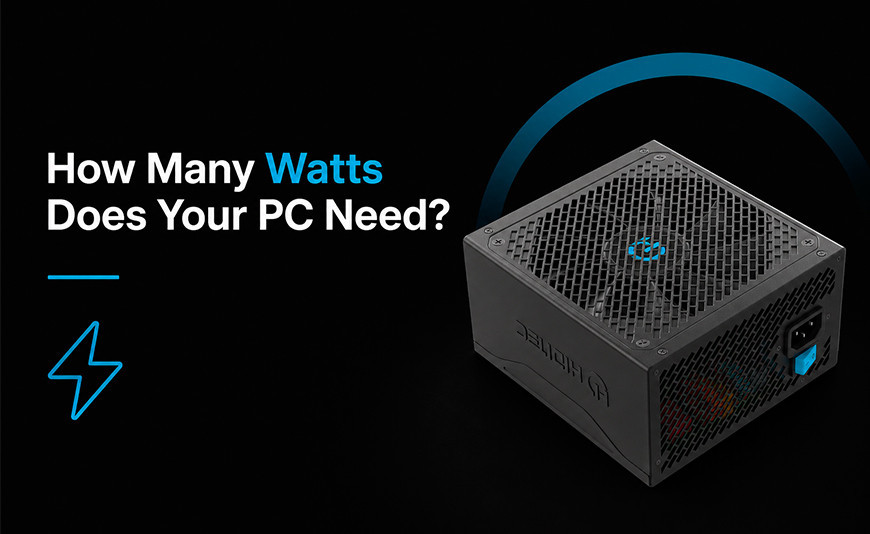
650W or 850W? The PSU you need depends on the game you play,
not just the PC you own
If you only play League of Legends, Minecraft or Valorant, a 550-650W power supply is more than enough. But if you want to push Red Dead Redemption 2 on Ultra at 4K with a powerful graphics card, that same 650W falls short — and you can end up with bottlenecks, shutdowns under load, or in the worst case, damage to your graphics card. Here's exactly how much power you need based on the game, the GPU and the resolution you play at, backed by real consumption and FPS data.
The essentials: how many watts you need based on what you play
Lightweight esports (LoL, Valorant, Minecraft, CS2 on medium): a GTX 1650, RTX 3050 or RTX 4060 is more than covered with 550-650W. The bottleneck in these games is almost never the GPU — it's the CPU.
AAA at high/1440p (Fortnite Ultra, GTA V, most current games): with an RTX 4060 Ti or RTX 4070 you'll need between 650W and 750W depending on the rest of your system.
AAA on Ultra with Ray Tracing (Red Dead Redemption 2, Cyberpunk 2077): with an RTX 4070 Ti or RTX 4080 that climbs to 750-850W.
Max 4K with RTX 4090 and a high-end CPU: here we're talking 850W as a minimum, and 1000W if you're also overclocking.
It's one of the most common mistakes when building a gaming PC: treating the power supply as just another box to tick based on price, instead of as the component that decides whether the rest of your system runs stably. And the most common confusion is treating wattage as a fixed number — "I need a 750W PSU" — without factoring in that number depends entirely on what you're actually going to play.
Powering a PC that only needs to run League of Legends at 240 FPS is not the same as powering one that needs to run Red Dead Redemption 2 on Ultra at 4K with Ray Tracing. The first barely asks anything of your graphics card. The second can push it to draw double or triple the power during peak-load moments. Let's look at the real numbers.
1. How to actually calculate the power you need
Your PSU wattage doesn't depend on "what you have" — it depends on what your CPU and GPU draw together in the worst-case scenario: the most demanding game, at the highest graphics settings you regularly use. On top of that you need to add margin for instantaneous power spikes (transients), which on the latest generation of RTX cards can be significantly higher than average consumption.
The simple explanation: think of your power supply as the flow rate of a water pipe. If you normally need little water but occasionally open every tap at once, you need a pipe that can handle that peak, not just the average daily flow. That's exactly what a powerful GPU asks of your PSU during its highest-load moments.
| Graphics card | GPU power draw (TDP) | Recommended PSU |
|---|---|---|
| RTX 4060 / GTX 1650 | 115-165W | 550-650W |
| RTX 4060 Ti | 160W | 650W |
| RTX 4070 / 4070 Super | 200-220W | 650-750W |
| RTX 4070 Ti / Ti Super | 285W | 750W |
| RTX 4080 / 4080 Super | 320W | 750-850W |
| RTX 4090 | 450W (up to 600W at peak) | 850-1000W |
2. The 4 player profiles and the PSU that fits each one
Instead of looking at wattage in isolation, it's more useful to think about what kind of gamer you are. Here are the four most common profiles and the PSU that matches each one within the Hiditec range.
| Profile | Typical games | Typical GPU | Recommended PSU |
|---|---|---|---|
| Competitive esports | League of Legends, Valorant, Minecraft, CS2 | GTX 1650 - RTX 4060 | BZ PRO 650W |
| Generalist gamer | Fortnite, GTA V, most AAA games at 1080p/1440p high | RTX 4060 Ti - RTX 4070 | BZ PRO 750W |
| Ultra + Ray Tracing | Red Dead Redemption 2, Cyberpunk 2077, Alan Wake 2 | RTX 4070 Ti - RTX 4080 | BZ PRO 850W |
| 4K enthusiast | Any current AAA game at max 4K settings, simultaneous streaming | RTX 4090 | BZ PRO 850W / GDX1050 Gold |
3. Real-world case: League of Legends, Valorant and Minecraft (you barely need anything)
If these three games are your library, you have the most forgiving PC to build: they're graphically light titles, and the bottleneck is almost never the graphics card — it's the CPU (especially during teamfights with lots of effects on screen). Here are the real numbers:
| Game | GPU | Approx. FPS (1080p) |
|---|---|---|
| League of Legends | GTX 1650 / RX 6500 XT | 200-400 FPS (medium) |
| League of Legends | RTX 3060 / RTX 4060 | 300-600+ FPS (high) |
| Valorant (optimized) | GTX 1650 | 160-210 FPS |
| Valorant | RTX 4060 | 210-260 FPS |
| Minecraft (vanilla) | Any current dedicated GPU | Very high FPS; limited by CPU and loaded chunks, not the GPU |
Note: if you play Minecraft with shaders (SEUS, BSL, Complementary), GPU load rises noticeably, and it's worth moving up to the "generalist gamer" profile (750W), since that's where the GPU starts doing real work.
Hiditec BZ PRO 650W — the PSU for the esports profile
80 PLUS Bronze certified, with 105ºC Japanese electrolytic capacitors and ATX 3.1 spec featuring a native 12V-2x6 connector (PCIe 5.1). At 650W you have plenty of headroom for any esports-focused build, even if you upgrade to an RTX 4060 or RTX 4060 Ti down the line. View Hiditec BZ PRO 650W on Amazon
4. Real-world case: Red Dead Redemption 2 on Ultra (this is where the difference shows)
Red Dead Redemption 2 remains, years after its release, one of the most graphically demanding games out there once you switch to the Ultra preset: global illumination, tessellated vegetation, high-resolution shadows and a very long draw distance. It's the perfect example of "this is where you actually need real wattage."
| GPU | Resolution / Settings | Average FPS | Recommended PSU |
|---|---|---|---|
| RTX 3060 | 1440p, optimized settings | ~50 FPS | 650W |
| RTX 4070 | 4K, DLAA | 100+ FPS | 650-750W |
| RTX 4080 | 4K, Ultra | ~179 FPS | 750-850W |
| RTX 4090 | 4K, Ultra | ~205 FPS | 850-1000W |
Figures are indicative, based on public benchmarks with a high-end CPU (Ryzen 9 7950X). Your exact results will vary depending on the rest of your build, but the jump in power needs between GPUs is representative.
Hiditec BZ PRO 850W — the PSU for playing on Ultra without worry
80 PLUS Bronze certified, ATX 3.1 with a native 12V-2x6 connector (PCIe 5.1), built specifically for high-end RTX 40 and RTX 50 graphics cards. At 850W you have plenty of margin for an RTX 4080, and for an RTX 4090 in most configurations, unless you're also running an aggressive CPU overclock. View Hiditec BZ PRO 850W on Amazon
Hiditec BZ PRO 750W — the sweet spot for RTX 4070 / 4070 Ti
If your graphics card is an RTX 4070, 4070 Super or 4070 Ti, this is the sweet spot: enough headroom to game on Ultra without overpaying for watts you'll never use. View Hiditec BZ PRO 750W on Amazon
5. Why the 12V-2x6 connector (PCIe 5.1) matters even if you don't need it today
If you're going to play demanding titles like Red Dead Redemption 2 on Ultra, your current or future graphics card is very likely to be an RTX 40 or RTX 50. These mid-to-high-end cards use the 12V-2x6 connector, successor to the older 12VHPWR, designed to eliminate the overheating issues that affected the first RTX 4090 adapters. Buying a PSU with this connector built in today, instead of relying on a 3x8-pin adapter, is the difference between a safe installation and an improvised one.
Go up a tier if...
You regularly play on Ultra with Ray Tracing enabled
You're planning to upgrade your GPU within the next year
Your CPU is high-end with aggressive boost clocks
You don't need more than the essentials if...
You only play esports titles (LoL, Valorant, CS2, Minecraft)
Your GPU is entry-level or mid-range
You have no plans to upgrade your system anytime soon
Frequently Asked Questions About Choosing a Power Supply
Everything you need to know before choosing your next PSU's wattage
Is a 650W PSU enough if I only play League of Legends or Valorant?
Yes, and by a wide margin. These games barely tax the GPU, so even a mid-range card like an RTX 4060 draws very little compared to its limit. A 650W PSU like the Hiditec BZ PRO 650W leaves you plenty of headroom, even if you later upgrade within the mid-range tier.
What PSU do I need to play Red Dead Redemption 2 on Ultra at 4K?
It depends on your graphics card: with an RTX 4070 you can get by with 650-750W, with an RTX 4080 it's worth stepping up to 750-850W, and with an RTX 4090 the recommendation is to start at 850W, going up to 1000W if you also have a high-end overclocked CPU.
Why not just buy the most powerful PSU possible "just in case"?
Because 80 PLUS Bronze units reach their peak efficiency between 50% and 75% load. An oversized PSU running well below that range is, counterintuitively, less efficient — on top of the fact that you're paying for watts you'll never use.
Does it matter if the PSU has a 12V-2x6 (PCIe 5.1) connector?
Yes, if your graphics card is a mid-to-high-end RTX 40 or RTX 50. It's the native connector for these cards and avoids relying on multi-8-pin adapters, which are the weakest link in the power delivery chain for high-consumption GPUs.
What about playing Minecraft with shaders?
Vanilla Minecraft is one of the least demanding games out there, but shaders (SEUS, BSL, Complementary) add global illumination and reflections that do load the GPU noticeably. If you play like this regularly, consider the "generalist gamer" profile (750W) instead of the esports one.
Information sourced from:
- ASUS, ASRock, MSI and Corsair — official recommended-PSU-per-GPU tables
- Silverstone — recommended power table for NVIDIA graphics cards
- NVIDIA — official power specifications for the GeForce RTX 40 series
- HowManyFPS and BetterFPS — community Valorant benchmarks by GPU
- PC4Games and CheckFPS — League of Legends performance guides
- Dropreference and GameGPU — Red Dead Redemption 2 benchmarks by GPU
- TweakTown and PCOptimizedSettings — Red Dead Redemption 2 performance testing
- Amazon: Hiditec BZ PRO 650W — 80 PLUS Bronze ATX 3.1 power supply
- Amazon: Hiditec BZ PRO 750W — 80 PLUS Bronze ATX 3.1 power supply
- Amazon: Hiditec BZ PRO 850W — 80 PLUS Bronze ATX 3.1 power supply
Pick your wattage based on the profile in section 2



Leave a Reply Cancel Reply