
 Español
  Português PT
NVMe vs. SATA SSD in 2026: Is it Worth Paying Double? Complete Guide | Hiditec Global
- 12 May, 2026
- Home , News
- 0 Comments
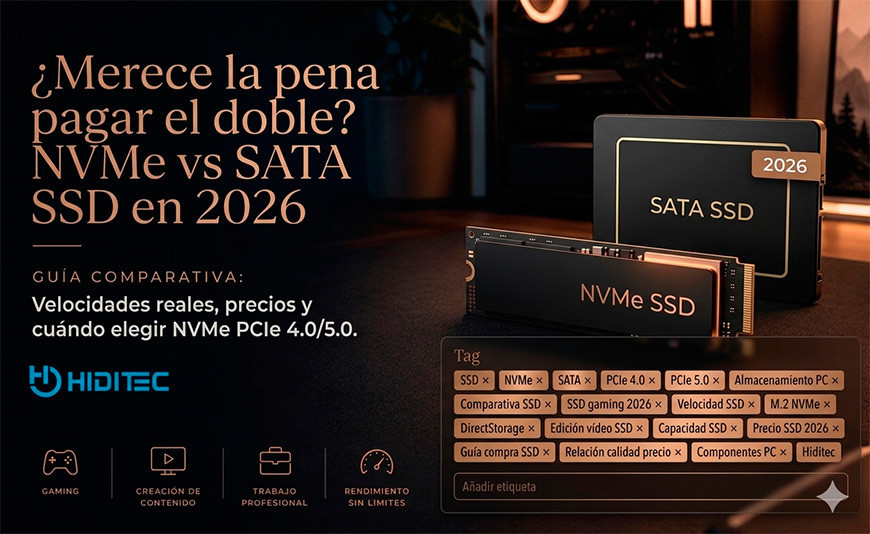
NVMe vs. SATA SSD in 2026:
Is it worth paying double for speed you might not notice?
Marketing sells you 7,000 MB/s. Games load 0.3 seconds faster. Your OS boots just as quickly. So, what is a next-gen NVMe actually for, and when is it an unnecessary expense? This guide gives you the straight answer.
The Bottom Line: NVMe vs. SATA based on what you do
SATA SSD: The smart choice for office PCs, casual gaming, or expanding secondary storage. Speeds of 500 to 550 MB/s are practically indistinguishable from NVMe for 90% of users in daily tasks.
NVMe PCIe 3.0 SSD: The "sweet spot" if you're building a new gaming PC or upgrading your system drive. 3,000 to 3,500 MB/s, with prices now very close to SATA and real improvements in intensive workloads.
NVMe PCIe 4.0 SSD: Worth it if you edit 4K video, work with large files regularly, or are building a professional workstation. 5,000 to 7,000 MB/s with real gains in massive data transfers.
NVMe PCIe 5.0 SSD: Only for professional production with extreme data flows. 10,000 to 14,000 MB/s that offer nothing in gaming or office use to justify the premium price.
Five years ago, the difference between an HDD and an SSD was transformative. Today, the difference between a SATA SSD and a PCIe 5.0 NVMe in everyday use is so small you'd need a stopwatch to notice. However, spec sheets show such vastly different numbers—550 MB/s vs. 14,000 MB/s—that it seems impossible there's no difference. The key is understanding what those numbers measure and when they actually matter.
In this guide, we dismantle the marketing, compare real-world data, and tell you exactly which SSD to buy based on your needs, without overspending.
1. What's What: SATA, NVMe, and PCIe Explained Without the Jargon
Before comparing speeds, we must understand what these terms mean. The most common confusion is mixing up the protocol (how the drive talks to the computer) with the form factor (the physical shape of the drive). They are different things.
Explained Simply: Imagine the SSD is a worker moving data from one place to another. The protocol is the language they speak with the boss (the CPU). SATA speaks an old but perfectly functional language. NVMe speaks a modern, much faster language. The form factor (2.5-inch or M.2) is simply the worker's physical size—whether they can fit through your PC case's "door" or not.
| Term | What it is | Theoretical Max Speed | Physical Connector |
|---|---|---|---|
| SATA III | Classic protocol, legacy from HDD era | 600 MB/s | SATA Cable or M.2 SATA |
| NVMe PCIe 3.0 | Modern protocol on PCIe 3.0 bus | 3,500 MB/s | M.2 NVMe or PCIe x4 |
| NVMe PCIe 4.0 | Modern protocol on PCIe 4.0 bus | 7,000 MB/s | M.2 NVMe |
| NVMe PCIe 5.0 | Modern protocol on PCIe 5.0 bus | 14,000 MB/s | M.2 NVMe |
2. What Marketing Doesn't Tell You: Real Speeds vs. Box Specs
The 7,000 MB/s you see on a PCIe 4.0 NVMe SSD box are sequential read speeds—the best-case scenario, measured in lab conditions while copying a single massive file. In real-world PC use, this rarely happens.
Explained Simply: Measuring an SSD's speed with sequential reads is like measuring a delivery driver's speed by how long it takes to drive down an empty highway in a straight line. But the driver's real job is navigating the city, stopping at lights, and finding addresses. In a PC, that real job is random reads and writes, where the gap between SATA and NVMe narrows significantly.
Real-World Speeds in Daily Scenarios (What isn't on the box)
Windows 11 Boot Time
SATA SSD: 8 to 12 seconds
NVMe PCIe 3.0: 7 to 10 seconds
NVMe PCIe 4.0: 6 to 9 seconds
Real diff: 2 to 3 seconds
Game Loading (Cyberpunk 2077)
SATA SSD: 22 to 28 seconds
NVMe PCIe 3.0: 20 to 25 seconds
NVMe PCIe 4.0: 18 to 22 seconds
Real diff: 4 to 6 seconds
10GB File Transfer
SATA SSD: 18 to 20 seconds
NVMe PCIe 3.0: 4 to 5 seconds
NVMe PCIe 4.0: 2 to 3 seconds
Real diff: Highly noticeable
Estimated data based on independent benchmarks using Ryzen 7 9800X3D + 32GB DDR5 systems. Times vary based on system configuration.
3. Full Comparison: SATA vs. NVMe PCIe 3.0, 4.0, and 5.0
All the data that matters in one table, including estimated 1TB pricing for 2026:
| Feature | SATA SSD | NVMe PCIe 3.0 | NVMe PCIe 4.0 | NVMe PCIe 5.0 |
|---|---|---|---|---|
| Sequential Read | 550 MB/s | 3,500 MB/s | 7,000 MB/s | 14,000 MB/s |
| Sequential Write | 520 MB/s | 3,000 MB/s | 6,500 MB/s | 12,000 MB/s |
| 4K Random Read | 90,000 IOPS | 500,000 IOPS | 800,000 IOPS | 1,500,000 IOPS |
| Approx. 1TB Price (2026) | $55 to $70 | $65 to $85 | $80 to $110 | $160 to $220 |
| Heat Generated | Very Low | Low | Medium | High, heatsink required |
| AM4 Compatible | Yes | Yes | Board dependent | No |
| AM5 Compatible | Yes | Yes | Yes | Yes (X870 / B850) |
| Gaming Impact | Baseline | Minimal (3-5s per load) | Minimal (4-6s per load) | Practically zero |
4. Why Games Don't Notice the Difference (And When They Do)
Games read data from the drive primarily at two moments: during initial level loading and when the character moves quickly through an open world. In both cases, the bottleneck in 2026 isn't the SSD, but the CPU processing the data and the RAM temporarily storing it.
Explained Simply: Imagine the SSD is a water pipe and the CPU is the faucet. Even if the pipe can carry 10,000 gallons per minute, if the faucet only lets 500 through, the real flow will always be 500. The size of the pipe doesn't matter. In gaming, the CPU is that faucet, and modern SSDs—even SATA ones—already exceed what the CPU can process in real-time.
When Gaming DOES NOT feel the difference
- Loading times between game screens
- In-game FPS (SSD does not influence this)
- Game fluidity and frame pacing
- Graphical quality or resolution
- Online latency or ping
When Gaming MIGHT feel the difference
- Games with DirectStorage active and uncompressed assets
- Open worlds with continuous high-resolution asset streaming
- Texture pop-in/stutters during high-speed movement
- Installation and updates of massive games
- Recording gameplay to the system drive simultaneously
5. Which SSD to Buy: Real-World Use Cases
Pure Gamer: mid-range NVMe PCIe 3.0 or 4.0
For pure gaming, a 1TB PCIe 3.0 NVMe is more than enough in 2026. The reason to choose NVMe over SATA isn't in-game speed—it's because prices are almost identical and NVMe uses a cable-free M.2 slot, keeping your build cleaner. If your board supports PCIe 4.0, the price jump is usually just $10-$15, which is worth it for faster installs.
Recommendation: 1TB PCIe 4.0 NVMe system drive + 1TB-2TB SATA SSD for secondary game storage.
Office & Remote Work: SATA SSD or PCIe 3.0 NVMe
For Word, Excel, email, and browsing, the difference is imperceptible. These tasks rely on random reads/writes of tiny files, which both drive types handle in microseconds—well below human perception.
Recommendation: 500GB-1TB SATA SSD, or PCIe 3.0 NVMe if the price is similar. Don't pay the PCIe 4.0/5.0 premium.
Video Editor & Content Creator: PCIe 4.0 NVMe without a doubt
This is where SSD speed actually matters. Editing 4K RAW or H.265 video in DaVinci Resolve or Premiere Pro requires continuous massive data reads. The difference between SATA (550 MB/s) and PCIe 4.0 (6,500 MB/s) is very real here: smoother scrubbing, faster exports, and zero buffering.
Recommendation: 1TB PCIe 4.0 NVMe for the system and active projects + high-capacity secondary drive (HDD/SATA SSD) for archives.
6. Summary Table: Which SSD to Buy in 2026
| Profile | System Drive | Secondary Drive | PCIe 5.0 Worth It? | Estimated Budget |
|---|---|---|---|---|
| Office & Work | 500GB SATA SSD | Not needed | No | $40 - $55 |
| Casual Gaming | 1TB PCIe 3.0 NVMe | 1-2TB SATA SSD | No | $75 - $130 |
| High-end Gaming | 1TB PCIe 4.0 NVMe | 2TB SATA SSD | No | $130 - $180 |
| Pro Production & AI | 2TB PCIe 5.0 NVMe | PCIe 4.0 + HDD | Yes | $400 - $600 |
Frequently Asked Questions: NVMe vs. SATA
Everything you need to know before buying your next SSD in 2026
Can I install an NVMe SSD in any PC?
Not necessarily. You need an M.2 slot that supports the NVMe protocol. Older M.2 slots might only support SATA. Additionally, to use PCIe 4.0 or 5.0 speeds, your motherboard chipset and CPU must support those generations. A 2.5-inch SATA SSD is the universal fallback for older systems and still significantly faster than any HDD.
What SSD capacity do I need for gaming in 2026?
In 2026, 1TB is the absolute minimum. Modern AAA games often exceed 150GB-200GB (like Call of Duty or Flight Simulator). For a comfortable experience without constant uninstalling, 2TB total storage is the current "standard" configuration.
What SSD capacity do I need for gaming in 2026?
Modern games have grown enormously in size. Titles like Call of Duty now occupy over 200GB, while Microsoft Flight Simulator exceeds 150GB. A modern open-world RPG easily reaches 80 to 120GB. For gaming in 2026, 1TB is the comfortable minimum for a system drive plus 4 to 6 simultaneous major installs. If you play many different titles or want to avoid constant uninstalls, 2TB on the primary drive—or a second 1TB to 2TB dedicated game drive—is the most practical setup. With prices having dropped so significantly, buying less than 1TB in 2026 simply doesn't make sense.
Do NVMe SSDs have a shorter lifespan than SATA ones?
Not in any significant way for home users. SSD durability is measured in TBW (TeraBytes Written)—the total data you can write before the NAND memory cells degrade. A standard 1TB consumer SSD typically offers between 300 and 600 TBW. Even with intensive use (writing 50GB every single day), it would take between 16 and 33 years to reach that limit. For home use and gaming, any modern SSD from a reputable brand will likely outlast the rest of your PC's components.
Do I need a heatsink for a PCIe 4.0 or 5.0 NVMe SSD?
For PCIe 4.0 in normal use (gaming or office work), the heatsink included with your motherboard or the drive itself is usually sufficient. Normal operating temperatures range between 50°C and 70°C under load. However, PCIe 5.0 is a different story: these drives generate considerable heat, sometimes exceeding 80°C. They almost always require a high-quality motherboard heatsink or an active cooler to prevent "thermal throttling." This protection mechanism automatically slows down the drive when it overheats, negating the very speed advantage you paid for. If you're building with PCIe 5.0, always ensure your motherboard includes a dedicated M.2 heatsink or buy one separately.
Verdict: Choose Your Speed Wisely
Whether you're looking for the absolute raw power of PCIe 5.0 or the balanced efficiency of a SATA drive for mass storage, 2026 offers options for every budget. Don't pay for performance your system won't use.
Browse Hiditec Chassis and Components




Leave a Reply Cancel Reply